By querying directly the SQLite table and filtering by meter id. But for Wärmestrom we have two different meters, because there are two tarifs depending on the time of the day.
%%sql CREATE OR REPLACE TABLE waermestrom_sqlite AS SELECT meterid, -- Blob Functions, because most columns get read as blob-- https://duckdb.org/docs/sql/functions/blob decode(date)::DATETIME AS date, decode(value)::INT AS valueFROM sqlite_scan('{{latest_file}}', 'reading') WHERE meterid =2 OR meterid =3;SELECT * FROM waermestrom_sqlite;
meterid
date
value
0
3
2020-11-30 17:36:00
9773
1
2
2020-11-30 17:36:00
9456
2
2
2020-12-01 00:00:00
9464
3
3
2020-12-01 00:00:00
9779
4
2
2020-12-01 14:23:00
9470
...
...
...
...
4728
3
2026-04-07 08:20:00
6035
4729
2
2026-04-11 23:42:00
5023
4730
3
2026-04-11 23:42:00
6052
4731
3
2026-04-12 09:12:00
6052
4732
2
2026-04-12 09:12:00
5027
4733 rows × 3 columns
Ideally, there would be one measurement for each tarif, for every date (minute). But we cannot guarantee that’s the case (e.g. measurement for one tarif can be at 13:08:59 and for the other at 13:09:00). So let’s see if that’s the case.
%%sql SELECT date, count(*) AS cntFROM waermestrom_sqliteGROUP BY date;
date
cnt
0
2020-11-30 17:36:00
2
1
2020-12-01 07:18:00
1
2
2020-12-01 07:19:00
1
3
2020-12-01 20:22:00
1
4
2020-12-03 02:38:00
2
...
...
...
2589
2026-02-25 08:38:00
2
2590
2026-02-26 09:25:00
2
2591
2026-03-07 21:03:00
2
2592
2026-03-15 16:24:00
2
2593
2026-04-03 20:58:00
2
2594 rows × 2 columns
Yeap, there are some cases with cnt=1. More precisely, the below number of cases:
%%sql WITH ucnt AS ( SELECT date, count(*) AS cnt FROM waermestrom_sqlite GROUP BY date)SELECT cnt, COUNT(*) FROM ucnt GROUP BY cnt;
cnt
count_star()
0
1
455
1
2
2139
Safest would be to just join the dates and make sure to fill in the gaps with the closest value. Let’s see
%%sqlCREATE OR REPLACE TABLE waermestrom_nulls ASWITHws181 AS ( SELECT 'Hoch' AS tariff, decode(date)::DATETIME AS date, decode(value)::INT AS value FROM sqlite_scan('{{latest_file}}', 'reading') WHERE meterid =3),ws182 AS ( SELECT 'Niedrig' AS tariff, decode(date)::DATETIME AS date, decode(value)::INT AS value FROM sqlite_scan('{{latest_file}}', 'reading') WHERE meterid =2)SELECT COALESCE(ws181.date, ws182.date) AS date, ws181.value AS value_hoch, ws182.value AS value_niedrigFROM ws181 FULL JOIN ws182 ON ws181.date = ws182.dateORDER BY date;SELECT * FROM waermestrom_nulls LIMIT 20;
date
value_hoch
value_niedrig
0
2016-07-04 07:50:00
0
0
1
2016-07-04 08:00:00
1
1
2
2016-11-28 00:21:00
547
<NA>
3
2016-11-28 15:23:00
<NA>
484
4
2017-11-25 15:20:00
3347
<NA>
5
2017-11-25 15:23:00
<NA>
2677
6
2018-11-23 15:19:00
5747
<NA>
7
2018-11-23 15:22:00
<NA>
4893
8
2019-11-29 14:18:00
7914
<NA>
9
2019-11-29 14:22:00
<NA>
7224
10
2020-11-30 07:07:00
9764
9456
11
2020-11-30 17:36:00
9773
9456
12
2020-12-01 00:00:00
9779
9464
13
2020-12-01 07:18:00
9782
<NA>
14
2020-12-01 07:19:00
<NA>
9470
15
2020-12-01 14:23:00
9792
9470
16
2020-12-01 20:21:00
9798
<NA>
17
2020-12-01 20:22:00
<NA>
9470
18
2020-12-02 00:01:00
9800
9473
19
2020-12-02 07:29:00
9802
9476
Yeah, those are the cases: 2020-12-01 07:18:00 has value hoch, but no niedrig 2020-12-01 07:19:00 has value niedrig, but no hoch
So now we want to fill in those gaps using the value of the same column, that has the closest date. So it’s tricky, because it cannot simply be a fill-down, or fill-up. Because in one case, the correct value would be one position up, and in other case one position down. Here’s one approach (it just assumes there are no consecutive nulls for the value columns; please also note that it takes advantage of DuckDB’s flexible SQL syntax -otherwhise it would have been even longer, with a bunch of CTEs-)
%%sqlCREATE OR REPLACE TABLE waermestrom_nonulls ASSELECT date, value_hoch, value_niedrig, -- calculate minutes diff with previous andnext date, to see which is closer-- note the use of a default value for lag/lead, substracting and adding one day--for lag and lead respectively, to avoid NULLs in the first and las rows date_sub('minute', lag(date, 1, date - INTERVAL 1 DAY) over(order by date), date) AS minutes_lag, date_sub('minute', date, lead(date, 1, date + INTERVAL 1 DAY) over(order by date)) AS minutes_lead,--and we want to replace null values column, with the value from closest date CASE WHEN value_hoch IS NULL AND minutes_lag <= minutes_lead THEN lag(value_hoch) over(order by date) WHEN value_hoch IS NULL AND minutes_lag > minutes_lead THEN lead(value_hoch) over(order by date) ELSE value_hoch END AS value_hoch_fix, CASE WHEN value_niedrig IS NULL AND minutes_lag <= minutes_lead THEN lag(value_niedrig) over(order by date) WHEN value_niedrig IS NULL AND minutes_lag > minutes_lead THEN lead(value_niedrig) over(order by date) ELSE value_niedrig END AS value_niedrig_fix, value_hoch_fix + value_niedrig_fix AS valueFROM waermestrom_nulls ORDER BY date;SELECT * FROM waermestrom_nonulls ORDER BY date;
date
value_hoch
value_niedrig
minutes_lag
minutes_lead
value_hoch_fix
value_niedrig_fix
value
0
2016-07-04 07:50:00
0
0
1440
10
0
0
0
1
2016-07-04 08:00:00
1
1
10
211221
1
1
2
2
2016-11-28 00:21:00
547
<NA>
211221
902
547
484
1031
3
2016-11-28 15:23:00
<NA>
484
902
521277
547
484
1031
4
2017-11-25 15:20:00
3347
<NA>
521277
3
3347
2677
6024
...
...
...
...
...
...
...
...
...
2589
2026-04-06 22:46:00
6033
5002
2893
573
6033
5002
11035
2590
2026-04-07 08:19:00
<NA>
5005
573
1
6035
5005
11040
2591
2026-04-07 08:20:00
6035
<NA>
1
6682
6035
5005
11040
2592
2026-04-11 23:42:00
6052
5023
6682
570
6052
5023
11075
2593
2026-04-12 09:12:00
6052
5027
570
1440
6052
5027
11079
2594 rows × 8 columns
Good, now we just need to calculate the consumption and create the main table.
%%sql CREATE OR REPLACE TABLE waermestrom ASSELECT date, value, value_hoch_fix AS value_hoch, value_niedrig_fix AS value_niedrig, minutes_lag AS minutes,-- add default values to lag(), to prevent null in the first row-- use 11kwh less than the first value which is approximately the avg consumption per day--and would be equivalent to the minutes in the first row, that we setwith the default-- of one day in the previous query value - lag(value, 1, value-11) over(order by date) AS consumption,1.0* consumption / minutes_lag AS cm,24.0*60.0* consumption / minutes_lag AS consumption_day_equivalent,-- now calculate consumption per tariff value_hoch_fix - lag(value_hoch_fix, 1, value_hoch_fix-11) over(order by date) AS consumption_hoch, value_niedrig_fix - lag(value_niedrig_fix, 1, value_niedrig_fix-11) over(order by date) AS consumption_niedrig,1.0* consumption_hoch / minutes_lag AS cm_hoch,1.0* consumption_niedrig / minutes_lag AS cm_niedrigFROM waermestrom_nonulls WHERE minutes >1--get rid of the artificially short periods;SELECT * FROM waermestrom ORDER BY date;
date
value
value_hoch
value_niedrig
minutes
consumption
cm
consumption_day_equivalent
consumption_hoch
consumption_niedrig
cm_hoch
cm_niedrig
0
2016-07-04 07:50:00
0
0
0
1440
11
0.007639
11.000000
11
11
0.007639
0.007639
1
2016-07-04 08:00:00
2
1
1
10
2
0.200000
288.000000
1
1
0.100000
0.100000
2
2016-11-28 00:21:00
1031
547
484
211221
1029
0.004872
7.015212
546
483
0.002585
0.002287
3
2016-11-28 15:23:00
1031
547
484
902
0
0.000000
0.000000
0
0
0.000000
0.000000
4
2017-11-25 15:20:00
6024
3347
2677
521277
4993
0.009578
13.792897
2800
2193
0.005371
0.004207
...
...
...
...
...
...
...
...
...
...
...
...
...
2367
2026-04-04 22:33:00
11016
6033
4983
1535
12
0.007818
11.257329
0
12
0.000000
0.007818
2368
2026-04-06 22:46:00
11035
6033
5002
2893
19
0.006568
9.457311
0
19
0.000000
0.006568
2369
2026-04-07 08:19:00
11040
6035
5005
573
5
0.008726
12.565445
2
3
0.003490
0.005236
2370
2026-04-11 23:42:00
11075
6052
5023
6682
35
0.005238
7.542652
17
18
0.002544
0.002694
2371
2026-04-12 09:12:00
11079
6052
5027
570
4
0.007018
10.105263
0
4
0.000000
0.007018
2372 rows × 12 columns
15483-1547216695-16662
33
Visualize the data
%%sql
waermestrom << SELECT * FROM waermestrom;
Again, very noisy data, with substantial variation in the consumption day equivalent and there is 1.5 years without data. But here you kinda already see the seasonal pattern of higher consumption in winter time.
import plotly.express as pxfig = px.line(waermestrom, x='date', y="consumption_day_equivalent")fig.show()
The minutes show a similar pattern, but with a bunch of very low values (probably 1), that should be due to the combination of the two meters when they do not fall in exactly the same minute.
import plotly.express as pxfig = px.histogram(waermestrom.query("minutes < 10000"), x="minutes", marginal="box")fig.show()
The consumption day equivalent varies also substantially, and it is of course higher than the normal strom.
import plotly.express as pxfig = px.histogram(waermestrom.query("minutes < 10000"), x="consumption_day_equivalent", marginal="box")fig.show()
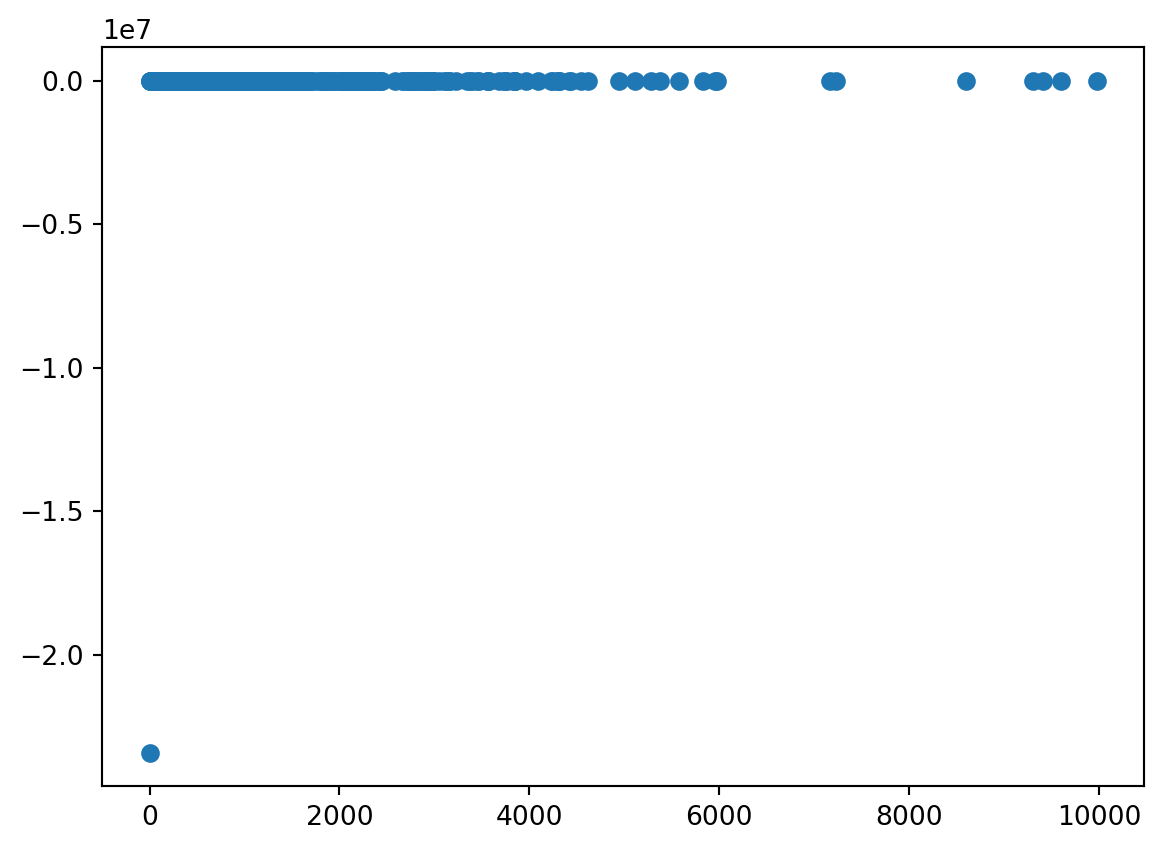
Here the pattern of minutes and consumption is not so marked as in the normal strom.
from matplotlib import pyplotpyplot.scatter( waermestrom.query("minutes < 10000")["minutes"], waermestrom.query("minutes < 10000")["consumption_day_equivalent"])
So, again let’s take the inefficient but straightforward way. First expand in minutes to the whole range.
%%sqlCREATE OR REPLACE TABLE waermestrom_minute_nulls ASWITH minutes_table AS ( SELECT UNNEST(generate_series(ts[1], ts[2], interval 1 minute)) as minute FROM (VALUES ( [(SELECT MIN(date) FROM waermestrom), (SELECT MAX(DATE) FROM waermestrom)] )) t(ts))SELECT *FROM minutes_tableLEFT JOIN waermestromON minutes_table.minute = waermestrom.date;SELECT * FROM waermestrom_minute_nulls ORDER BY minute LIMIT 10;
minute
date
value
value_hoch
value_niedrig
minutes
consumption
cm
consumption_day_equivalent
consumption_hoch
consumption_niedrig
cm_hoch
cm_niedrig
0
2016-07-04 07:50:00
2016-07-04 07:50:00
0
0
0
1440
11
0.007639
11.0
11
11
0.007639
0.007639
1
2016-07-04 07:51:00
NaT
<NA>
<NA>
<NA>
<NA>
<NA>
NaN
NaN
<NA>
<NA>
NaN
NaN
2
2016-07-04 07:52:00
NaT
<NA>
<NA>
<NA>
<NA>
<NA>
NaN
NaN
<NA>
<NA>
NaN
NaN
3
2016-07-04 07:53:00
NaT
<NA>
<NA>
<NA>
<NA>
<NA>
NaN
NaN
<NA>
<NA>
NaN
NaN
4
2016-07-04 07:54:00
NaT
<NA>
<NA>
<NA>
<NA>
<NA>
NaN
NaN
<NA>
<NA>
NaN
NaN
5
2016-07-04 07:55:00
NaT
<NA>
<NA>
<NA>
<NA>
<NA>
NaN
NaN
<NA>
<NA>
NaN
NaN
6
2016-07-04 07:56:00
NaT
<NA>
<NA>
<NA>
<NA>
<NA>
NaN
NaN
<NA>
<NA>
NaN
NaN
7
2016-07-04 07:57:00
NaT
<NA>
<NA>
<NA>
<NA>
<NA>
NaN
NaN
<NA>
<NA>
NaN
NaN
8
2016-07-04 07:58:00
NaT
<NA>
<NA>
<NA>
<NA>
<NA>
NaN
NaN
<NA>
<NA>
NaN
NaN
9
2016-07-04 07:59:00
NaT
<NA>
<NA>
<NA>
<NA>
<NA>
NaN
NaN
<NA>
<NA>
NaN
NaN
And fill in the NULLS
%%sqlCREATE OR REPLACE TABLE waermestrom_minute ASSELECT minute, date, value, value_hoch, value_niedrig, minutes, consumption, FIRST_VALUE(cm IGNORE NULLS) OVER( ORDER BY minute ROWS BETWEEN CURRENT ROW AND UNBOUNDED FOLLOWING ) AS cm, FIRST_VALUE(cm_hoch IGNORE NULLS) OVER( ORDER BY minute ROWS BETWEEN CURRENT ROW AND UNBOUNDED FOLLOWING ) AS cm_hoch, FIRST_VALUE(cm_niedrig IGNORE NULLS) OVER( ORDER BY minute ROWS BETWEEN CURRENT ROW AND UNBOUNDED FOLLOWING ) AS cm_niedrigFROM waermestrom_minute_nulls t1ORDER BY t1.minute;SELECT * FROM waermestrom_minute ORDER BY minute LIMIT 100;
minute
date
value
value_hoch
value_niedrig
minutes
consumption
cm
cm_hoch
cm_niedrig
0
2016-07-04 07:50:00
2016-07-04 07:50:00
0
0
0
1440
11
0.007639
0.007639
0.007639
1
2016-07-04 07:51:00
NaT
<NA>
<NA>
<NA>
<NA>
<NA>
0.200000
0.100000
0.100000
2
2016-07-04 07:52:00
NaT
<NA>
<NA>
<NA>
<NA>
<NA>
0.200000
0.100000
0.100000
3
2016-07-04 07:53:00
NaT
<NA>
<NA>
<NA>
<NA>
<NA>
0.200000
0.100000
0.100000
4
2016-07-04 07:54:00
NaT
<NA>
<NA>
<NA>
<NA>
<NA>
0.200000
0.100000
0.100000
...
...
...
...
...
...
...
...
...
...
...
95
2016-07-04 09:25:00
NaT
<NA>
<NA>
<NA>
<NA>
<NA>
0.004872
0.002585
0.002287
96
2016-07-04 09:26:00
NaT
<NA>
<NA>
<NA>
<NA>
<NA>
0.004872
0.002585
0.002287
97
2016-07-04 09:27:00
NaT
<NA>
<NA>
<NA>
<NA>
<NA>
0.004872
0.002585
0.002287
98
2016-07-04 09:28:00
NaT
<NA>
<NA>
<NA>
<NA>
<NA>
0.004872
0.002585
0.002287
99
2016-07-04 09:29:00
NaT
<NA>
<NA>
<NA>
<NA>
<NA>
0.004872
0.002585
0.002287
100 rows × 10 columns
And now we can simply aggregate per day and hour, and the average will be correct, as all the rows have comparable units (consumption for one minute, with equal weight).
%%sqlconsumption_hour_avg << SELECT COUNT(*) AS cnt, hour(minute) AS hour, AVG(cm)*60*24 AS cmyFROM waermestrom_minuteGROUP BY hour(minute);
import plotly.express as pxfig = px.line(consumption_hour_avg, y='cmy', x='hour')fig.show()
%%sqlconsumption_hour_avg << SELECT hour(minute) AS hour, 1.0*AVG(cm)*60*24 AS cmyFROM waermestrom_minuteWHERE minute <='2021-05-25' OR minute >='2022-11-30'GROUP BY hour(minute);
import plotly.express as pxfig = px.bar(consumption_hour_avg, y='cmy', x='hour')fig.show()
Traces plot
%%sqlSELECT hour(minute) AS hour, AVG(1.0*60*24* cm) AS cmFROM waermestrom_minuteWHERE minute <='2021-05-25' OR minute >='2022-11-30'GROUP BY hour(minute);
hour
cm
0
0
12.894955
1
1
12.836133
2
2
12.819185
3
3
12.815426
4
4
12.797544
5
5
12.771900
6
6
12.720561
7
7
12.701939
8
8
12.569834
9
9
-246.355914
10
10
12.368265
11
11
12.270323
12
12
12.155339
13
13
12.113588
14
14
12.108235
15
15
12.063699
16
16
12.024798
17
17
11.969528
18
18
12.027910
19
19
12.259541
20
20
12.714311
21
21
13.019616
22
22
13.090068
23
23
13.026564
%%sqlSELECT minute, date,1.0*60*24* cm AS cm, AVG(1.0*60*24* cm) OVER( ORDER BY minute ROWS BETWEEN 240 PRECEDING AND CURRENT ROW ) AS cmmaFROM waermestrom_minuteWHERE minute >'2022-11-30';
minute
date
cm
cmma
0
2022-11-30 00:01:00
NaT
11.974301
11.974301
1
2022-11-30 00:02:00
NaT
11.974301
11.974301
2
2022-11-30 00:03:00
NaT
11.974301
11.974301
3
2022-11-30 00:04:00
NaT
11.974301
11.974301
4
2022-11-30 00:05:00
NaT
11.974301
11.974301
...
...
...
...
...
1770307
2026-04-12 09:08:00
NaT
10.105263
10.105263
1770308
2026-04-12 09:09:00
NaT
10.105263
10.105263
1770309
2026-04-12 09:10:00
NaT
10.105263
10.105263
1770310
2026-04-12 09:11:00
NaT
10.105263
10.105263
1770311
2026-04-12 09:12:00
2026-04-12 09:12:00
10.105263
10.105263
1770312 rows × 4 columns
%%sqlCREATE OR REPLACE TABLE toy ASWITH hourly_average AS ( SELECT hour(minute) AS hour, AVG(1.0*60*24* cm) AS cmha FROM waermestrom_minute--This was originally here, because we wanted to see the hourly variation--and keeping this long period without measurements just smoothed things--but for waermestrom, it has a misleading implication: since we have --measurements mostly in the wintertime, the average without this period--is high, reflecting the higher energy consumption during winter--WHERE minute <='2021-05-25' OR minute >='2022-11-30' GROUP BY hour(minute)),last_measurements AS ( SELECT minute, date,1.0*60*24* cm AS cm, AVG(1.0*60*24* cm) OVER( ORDER BY minute ROWS BETWEEN 60*4 PRECEDING AND CURRENT ROW ) AS cmma FROM waermestrom_minute WHERE minute >='2022-11-30')SELECT *, CASE WHEN date IS NOT NULL THEN cm ELSE NULL END AS cmdateFROM last_measurementsLEFT JOIN hourly_averageON hour(last_measurements.minute) = hourly_average.hour;
niedrig_fraction << SELECT date AS day, AVG(cm_niedrig/cm) AS niedrig_fraction, AVG(cm_niedrig)/AVG(cm) AS niedrig_fraction2, AVG(niedrig_fraction) OVER( ORDER BY minute ROWS BETWEEN 60 * 24 * 7 PRECEDING AND CURRENT ROW ) AS niedrig_fraction_ma FROM waermestrom_minute GROUP BY date ORDER BY date ;
import plotly.express as px fig = px.bar(niedrig_fraction, x=‘day’, y=‘niedrig_fraction2’) fig.show()